Remove watermark from video online free
Client-side video inpainting. Erase Gemini, TikTok, Sora, Veo, Wan 2.1, NotebookLM, and HeyGen watermarks directly on your GPU without server uploads or quality compression.
Upload a video to clean
Drag and drop MP4, WebM, or MOV · 100% processed locally on your device
Before & after watermark removal
Inspect inpainting results across Gemini, TikTok, Sora, Wan 2.1, NotebookLM, and HeyGen videos. Drag the center handle to evaluate edge blending and texture reconstruction.
Google Gemini & Veo: Reconstructs background texture under the corner star mark and DeepMind SynthID tag.
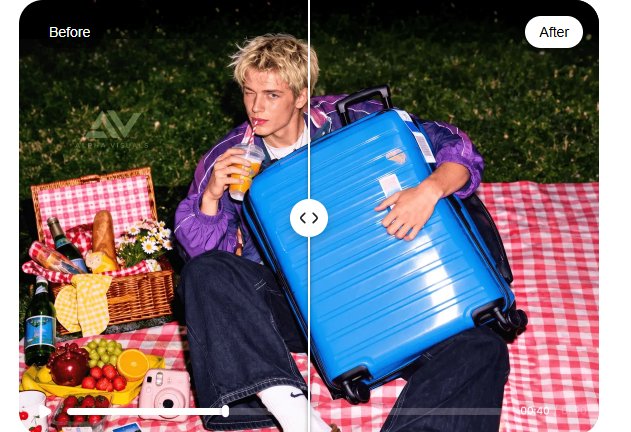
To test your own frames, replace the images in public/images/ or configure BeforeAfterSlider.tsx.
Supported video platforms and tools
Jump to platform-specific inpainting documentation
Remove Gemini watermark from video free & how to remove Veo watermark
Google Gemini and Google DeepMind Veo generate high-definition video clips with a corner star mark or translucent Veo tag. When exploring how to remove veo watermark from video or looking to remove gemini watermark from video free, client-side inpainting reconstructs the underlying pixels without lossy re-encoding or cloud transmission.
Preserves native 4K/1080p composition: Cropping eliminates up to 20% of your video frame. Inpainting restores the covered texture.
Private and offline capable: Your unreleased video concepts never leave your browser memory.
Batch timeline processing: Set the corner bounding box once, and the tool cleans all frames in sequence.
Removal steps
- 01Load your Gemini or Veo MP4 file into the tool.
- 02Draw a bounding box tightly over the corner mark.
- 03Preview the frame with the split slider to verify edge continuity.
- 04Click Process Video to export the clean file.
Bouncing watermark pattern
TikTok alternates logos between top-left and bottom-right corners with creator handles. Cropping creates distorted aspect ratios when reposting to Instagram Reels or YouTube Shorts.
Remove TikTok watermark from video without cropping 9:16 frame
When you need to remove tiktok watermark from video to republish content on other platforms, inpainting targets only the corner logos, preserving the complete 1080x1920 vertical format.
No zoom or crop blur: Keeps native vertical dimensions without letterboxing.
Audio pass-through: Retains music, voiceovers, and ambient tracks intact.
Remove Sora watermark from video & Wan 2.1 model marks
OpenAI Sora and Wan 2.1 generate photorealistic footage with moving backgrounds. When you remove sora watermark from video or clean Wan open-source generations, Navier-Stokes fluid inpainting propagates neighboring gradients into the masked region with smooth edge continuity.
Navier-Stokes fluid model: Propagates vector fields across complex lighting and fluid scenes.
Wan 2.1 model support: Cleans open-source AI video marks locally on device.
Processing specifications
- Method
- Telea / Navier-Stokes
- Max resolution
- 4K UHD
- Audio muxing
- MP4-Muxer passthrough
- Server upload
- 0 KB
How to remove NotebookLM watermark from video
NotebookLM exports include audio waveform visualizers and header logos. When exploringhow to remove notebooklm watermark from video, masking the header zone removes the branding while maintaining synchronized AAC audio.
Remove HeyGen watermark from video
HeyGen avatars include lower-third watermark banners. The inpainting mask targets the bottom boundary, leaving presenter lip-sync and facial clarity untouched.
How to remove any watermark from video
Step-by-step process for broadcast bugs, date stamps, subtitles, and watermarks:
Select video file
Drag your MP4, WebM, or MOV into the canvas. All decoding runs locally in browser memory.
Mark target region
Place a bounding box or brush over the logo, timestamp, or hardcoded subtitle.
Tune inpaint model
Select Telea or Navier-Stokes and inspect the frame with the split-screen compare.
Export MP4
Process frames and download clean video with synchronized original audio.
Comparison: In-browser processing vs cloud converters
Evaluating local inpainting against online services like Online-Video-Cutter, Airbrush, and Vmake.
| Feature | ClearVid (In-Browser) | Cloud Removers |
|---|---|---|
| Privacy | 100% on device, 0 bytes uploaded | Uploaded to third-party servers |
| Cost | Free forever, no subscriptions | $19 – $49/mo subscriptions |
| File size limit | Unlimited local memory | Capped at 50MB – 100MB |
| Export watermark | None | Added on free tiers |
| Inpainting algorithm | Telea & Navier-Stokes | Generic blur or crop |
Frequently asked questions
How to remove Gemini watermark from video free?▼
How to remove NotebookLM watermark from video?▼
How to remove Veo and Sora watermarks from video?▼
Can I remove TikTok watermark from video without cropping?▼
Is this watermark remover from videos free?▼
How to remove any watermark from video?▼
Start inpainting your video
No signups or cloud uploads. Runs directly in your browser.